
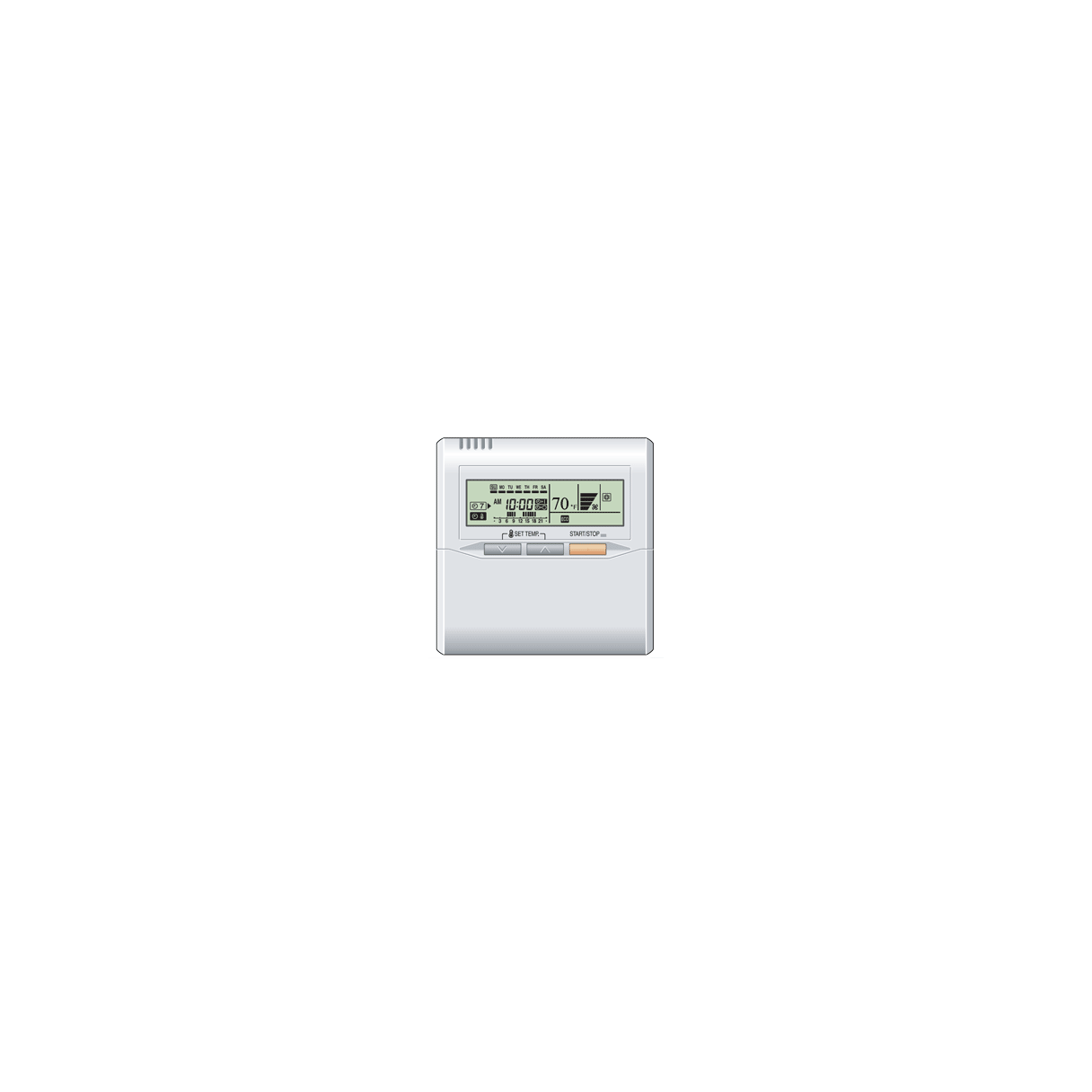
Fujitsu UTY-RSNUM: The Complete Guide to Fujitsu’s Wired Remote Control
Looking for a reliable way to control your Fujitsu mini-split system? The Fujitsu UTY-RSNUM wired remote control might be exactly what you need. This wall-mounted thermostat gives you precise control over your indoor comfort while offering the reliability that only a hardwired connection can provide. I’ve seen countless homeowners upgrade to this remote when they want consistent, dependable control of their HVAC systems.
What Is the Fujitsu UTY-RSNUM Remote Control?
The Fujitsu UTY-RSNUM is a wall-mounted wired remote control that functions as a thermostat for compatible Fujitsu mini-split systems. Unlike wireless remotes that can get lost or suffer from battery issues, this wired controller provides a permanent, reliable control solution for your HVAC system.
One of the coolest things about the UTY-RSNUM is that it doesn’t have to replace your existing wireless remote—they can work together simultaneously! This gives you the best of both worlds: the convenience of a wireless remote when you’re feeling lazy, plus the reliability of a wired controller that’s always there when you need it.
Key Features of the UTY-RSNUM Remote
- Wall-mounted design for permanent installation
- Basic temperature and mode control functions
- Can operate alongside wireless remotes
- Direct wired connection for reliable operation
- Compatible with numerous Fujitsu indoor units
Compatibility: Will UTY-RSNUM Work with Your System?
Before investing in the Fujitsu UTY-RSNUM, you’ll want to ensure it’s compatible with your specific mini-split model. While this remote works with many Fujitsu units, some models require additional adapters.
Models Requiring Special Adapters
If you own any of these specific models, you’ll need to purchase additional hardware:
- UTY-TWXFB1 adapter required for: ASU9RLS3Y, ASU12RLS3Y, ASSU15RLS3Y
- UTY-XCBXZ2 adapter required for: ASU7RLF1, ASU9RLF1, ASU12RLF1
Think of these adapters as translators that help your specific indoor unit communicate properly with the UTY-RSNUM remote. Without them, you’d be trying to make two devices speak different languages!
Full Compatibility List
The UTY-RSNUM is compatible with a wide range of Fujitsu indoor units, including:
- ASU series: ASU9RLF, ASU12RLF, ASU9RLS2, ASU12RLS2, ASU15RLS2, ASU9RLS3, ASU12RLS3, ASU15RLS3, ASU18RLB, ASU24RLB, ASU18RLF, ASU24RLF, ASU30RLE, ASU30RLXB, ASU36RLXB
- ARU series: ARU7RLF, ARU9RLF, ARU12RLF, ARU18RLF, ARU24RLF
- AGU series: AGU9RLF, AGU12RLF
- AUU series: AUU7RLF, AUU9RLF, AUU12RLF, AUU18RLF
This extensive compatibility list makes the UTY-RSNUM a versatile option for many Fujitsu mini-split owners. I’ve installed these in homes with various model combinations, and they integrate seamlessly when matched correctly.
Installation Basics for the UTY-RSNUM
Installing the Fujitsu UTY-RSNUM remote is relatively straightforward, but it does require some electrical work. If you’re comfortable with basic wiring, you might tackle this as a DIY project. Otherwise, having an HVAC professional handle the installation is your best bet.
Basic Installation Steps
- Turn off power to your indoor unit
- Mount the remote bracket on the wall in your preferred location
- Connect the wiring between the remote and your indoor unit
- If needed, install the required adapter for your specific model
- Attach the remote to the bracket and restore power
Remember, proper placement matters! For optimal temperature sensing, install your remote away from direct sunlight, drafts, and heat sources. I typically recommend placing it about 5 feet from the floor in a location that represents the average room temperature.
Using Your UTY-RSNUM: Everyday Operation
The beauty of the Fujitsu UTY-RSNUM lies in its simplicity. While it doesn’t offer all the fancy features of some higher-end controllers, it provides the essential functions most homeowners actually use.
Core Functions and Controls
- Temperature Adjustment: Set your desired temperature with easy up/down controls
- Operation Mode Selection: Choose between heating, cooling, auto, and fan-only modes
- Fan Speed Control: Adjust fan speed to balance comfort and noise levels
- Power On/Off: Basic system power control
What I appreciate about this controller is that it handles the essentials without overwhelming you with rarely-used features. For the average homeowner, these core functions cover 99% of what you’ll actually need on a day-to-day basis.
Simultaneous Operation with Wireless Remote
One standout feature of the UTY-RSNUM is its ability to function alongside your wireless remote. This means you can:
- Use the wireless remote for convenience from your couch
- Rely on the wired remote when the wireless one is missing or has dead batteries
- Set basic parameters with the wired remote that can’t be accidentally changed
Just note that in case of conflicting settings, the most recent command will typically take precedence. This dual-control setup gives you flexibility while maintaining the reliability of a hardwired solution.
Comparing the UTY-RSNUM to Other Fujitsu Remote Options
While the UTY-RSNUM is an excellent controller, it’s worth understanding how it compares to other options in Fujitsu’s lineup.
UTY-RSNUM vs. Wireless Remotes
Compared to standard wireless remotes:
- Pros: More reliable connection, no batteries needed, can’t be lost
- Cons: Requires wiring installation, fixed location, slightly fewer features
UTY-RSNUM vs. UTY-RSNYM
The UTY-RSNYM is Fujitsu’s more advanced wired controller:
- UTY-RSNYM advantages: Can control multiple units (up to 16), backlit display, timer functions
- UTY-RSNUM advantages: Lower cost, simpler operation, sufficient for most residential needs
For most single-unit residential applications, the UTY-RSNUM provides the perfect balance of functionality and simplicity. I’ve found that homeowners generally prefer this straightforward approach unless they have specific needs for multi-unit control or advanced programming.
Common Questions About the Fujitsu UTY-RSNUM
Is the UTY-RSNUM difficult to install?
While not overly complex, installation does require basic electrical knowledge and comfort with wiring. If you’re unsure, I recommend professional installation to ensure proper functionality and safety.
Can I control multiple indoor units with one UTY-RSNUM?
No, the UTY-RSNUM is designed to control just one indoor unit. If you need multi-unit control, consider the UTY-RSNYM instead, which can manage up to 16 indoor units.
Does the UTY-RSNUM have a backlit display?
No, the UTY-RSNUM does not feature a backlit display. For nighttime visibility, you might want to consider the UTY-RSNYM which does include backlighting.
What is the weight and size of the UTY-RSNUM?
The UTY-RSNUM weighs approximately 1.75 pounds and has a compact wall-mounted design that won’t take up much space on your wall.
Is the Fujitsu UTY-RSNUM Right for You?
After examining all aspects of the Fujitsu UTY-RSNUM, I believe it’s an excellent choice if:
- You want a reliable, permanent control solution
- You value simplicity and ease of use
- You have a compatible Fujitsu indoor unit
- You don’t need to control multiple units from one controller
The UTY-RSNUM strikes that perfect balance between functionality and simplicity that makes it ideal for most residential applications. While fancier options exist, this controller handles all the essentials without overwhelming you with rarely-used features.
For reliable, straightforward control of your Fujitsu mini-split system, the UTY-RSNUM wired remote is hard to beat. Its permanent installation means you’ll never again find yourself searching for a lost remote or dealing with dead batteries when you just want to adjust the temperature.